

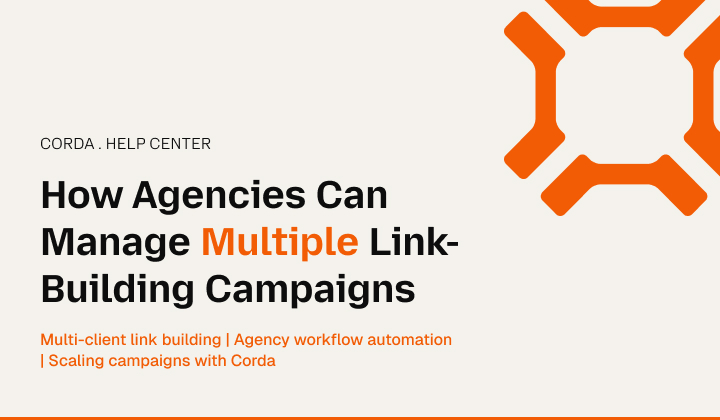
Beyond reaching a certain client count, campaign management becomes a full-time problem. To clarify, every account has a different target page, a different publisher list, and its own budget.
Every campaign is at a different stage of progress. And without something built to hold all of that, it ends up spread across spreadsheets, inboxes, and three different tools nobody fully trusts.
So imagine someone suddenly asking a team leader, “What’s actually happening across our accounts right now?” The answer that you would probably get is: “let me check a few things first.”
Corda handles this by giving each client their own Workspace and running every campaign inside it through the same structured stages.
That’s what lets an agency run many campaigns at once without losing the thread on any of them.
The One Workspace, One Client Plan
A Workspace in Corda is tied to a domain, and each client gets one. Their Website Analysis, competitors, publisher opportunities, and campaigns all live inside it, separate from everyone else’s.
To be precise, the starter plan gives you 5 Workspaces. The Professional gives 15, and Agency gives 40. So now you can calculate how many clients you can run side by side based on your plan, not improvisation.
That separation is the whole point once you’re past two or three clients. A campaign for Client A draws only from Client A’s baseline and competitor set. Nothing crosses over.
In other words, a strategist looking at one account isn’t wading through another client’s data to find what they need.
Four Statuses Assured!
Every campaign in a workspace can be accommodated in one of the four states:
| Status | What it means |
| Draft | Being built, not yet live |
| Pending | Waiting on publisher approval |
| Active | Running |
| Completed | Done, goals met |
With one client, this barely matters. But with a dozen clients, you need to know all their portfolios clearly. Otherwise, you have to rely on guesswork.
That said, a team lead can glance at the Campaigns view and immediately see what’s stuck, what’s moving, and which accounts need to start a new campaign.
The best part is that with Corda you can do all of that, without opening every workspace one at a time to check.
Same Five Steps, Every Single Time
The workflow doesn’t change from client to client. Therefore, the sequence for each case remains:
| Discover | Corda surfaces publishers that fit the client’s niche, goals, and target pages. |
| Select | The team picks the ones that genuinely fit. |
| Organize | We structure chosen opportunities into a campaign around a specific goal. |
| Launch | Outreach starts. |
| Track | We monitor performance in sync with Corda’s flow. |
This sequencing and order brings consistency in the process. To clarify, a strategist running ten accounts isn’t relearning a process every time they switch clients.
Instead, they’re running one process they already know, ten times. That’s a very different kind of workload than rebuilding an approach from scratch for each account.
Capacity Based On The Plan
Active Campaigns are capped by plan: 10 on Starter, 30 on Professional, and 100 on Agency. That gives a team a real number to plan around instead of eyeballing how many campaigns they can actually manage in parallel.
It also helps in building another good habit. Since campaigns count against a limit, there’s a real reason to close out a Completed one instead of keeping it open forever, cluttering the list. The “Active” view remains updated because of that.
Corda Doesn’t Rely On A Variable Budget
The Wallet lets a team load credits, set a budget per campaign, and watch spend. Meanwhile, every transaction remains linked to the campaign it came from.
You can change or pause budgets at any time. Similarly, you can pause and resume campaigns from the dashboard, and anything already approved keeps running under its original terms.
For agencies managing multiple client budgets, this helps keep each client’s money separate and makes budget changes easier to track.
Create The Report Once And Follow The Trail
Reports show campaign progress, placements, spend, and authority changes in one view. Meanwhile, Professional and Agency reports are white-labeled and ready to hand straight to a client.
Instead of pulling numbers from four places into a slide deck every time someone asks for an update, check the report that is already there in the shape a client update needs.
Access: How A Team Actually Works
Professional and Agency plans include Team permissions and role controls. For instance, the primary roles are to:
- invite people in
- assign them a lane
- control what they can touch
That’s what keeps multi-client work from depending on one person who holds the full picture in their head. A junior team member can run discovery and build drafts. After that, the team lead makes the final call on what goes live.
Side By Side
| Without Corda | With Corda |
| Client data scattered across spreadsheets | Each client sealed in its own Workspace |
| No shared read on campaign status | Draft / Pending / Active / Completed, visible at a glance |
| Workflow rebuilt per client | Same five steps, every account |
| Campaign count grows unchecked | Active Campaigns capped and tracked against the plan |
| Budgets tracked by hand, crossover risk | Wallet keeps every dollar tied to its campaign |
| Reports assembled manually, every time | Reports already structured, white-labeled above Starter |
| One person holds all the context | Roles spread access and responsibility across the team |
The Key Takeaways
So what do you get as a user from Corda? First, you get an agency space with automated analysis and output you can control at every step.
After that, you can also conduct publisher sorting and selection, track campaigns across clients, and ensure you don’t have to replicate the same process manually at each step.
So if someone asks, why should I use Corda? Simply put, Corda scales well by letting you manage multiple campaigns at the same time.